It started with a tweet.
@pingthebird posted a video of Claude Code controlling his smart oven. "It figured out how to control my oven too," he wrote. The oven was preheating to 350°F via natural language commands. 1.7 million views.
I watched Claude probe the oven's API, discover available services, and just... start cooking.
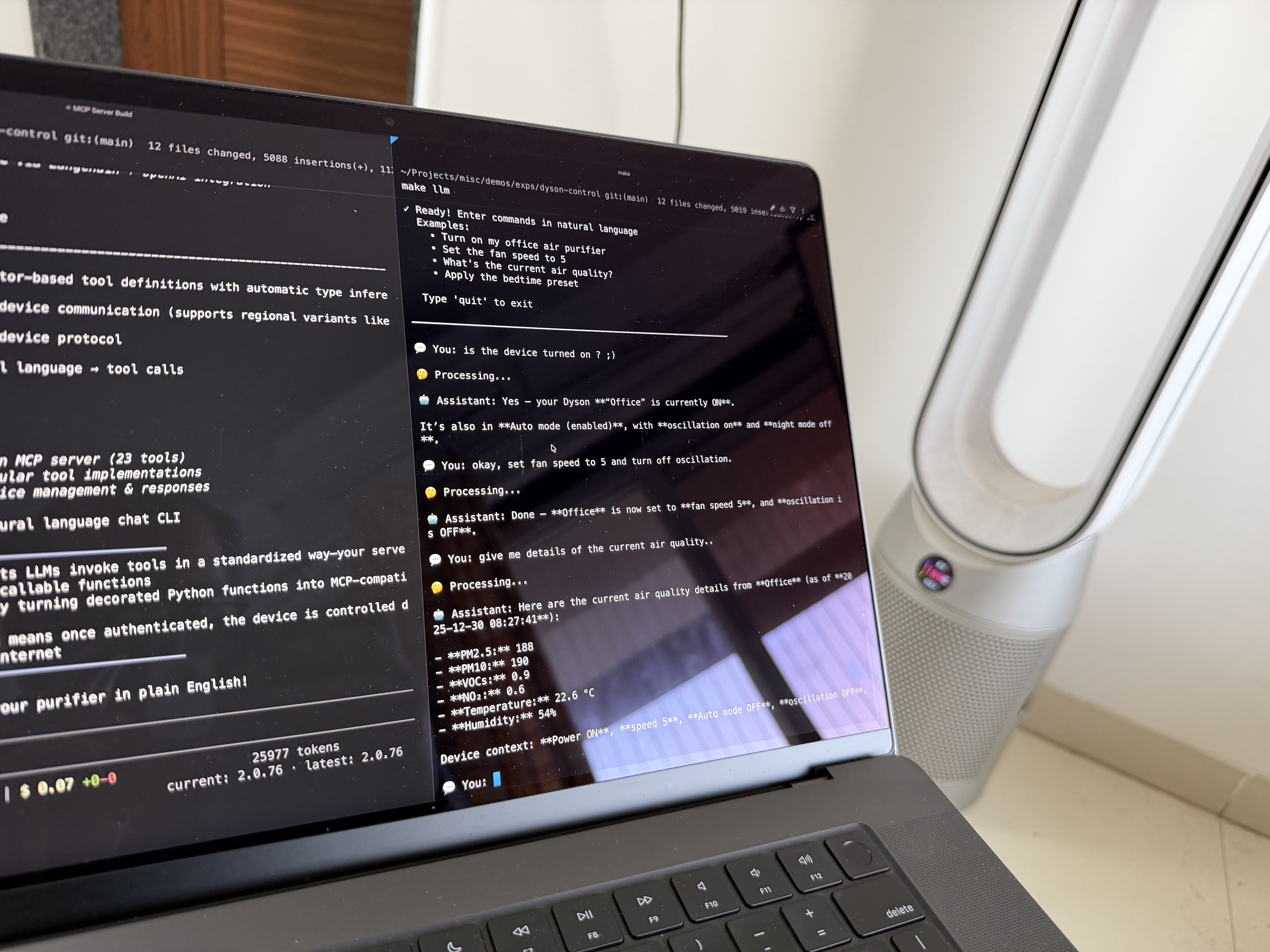
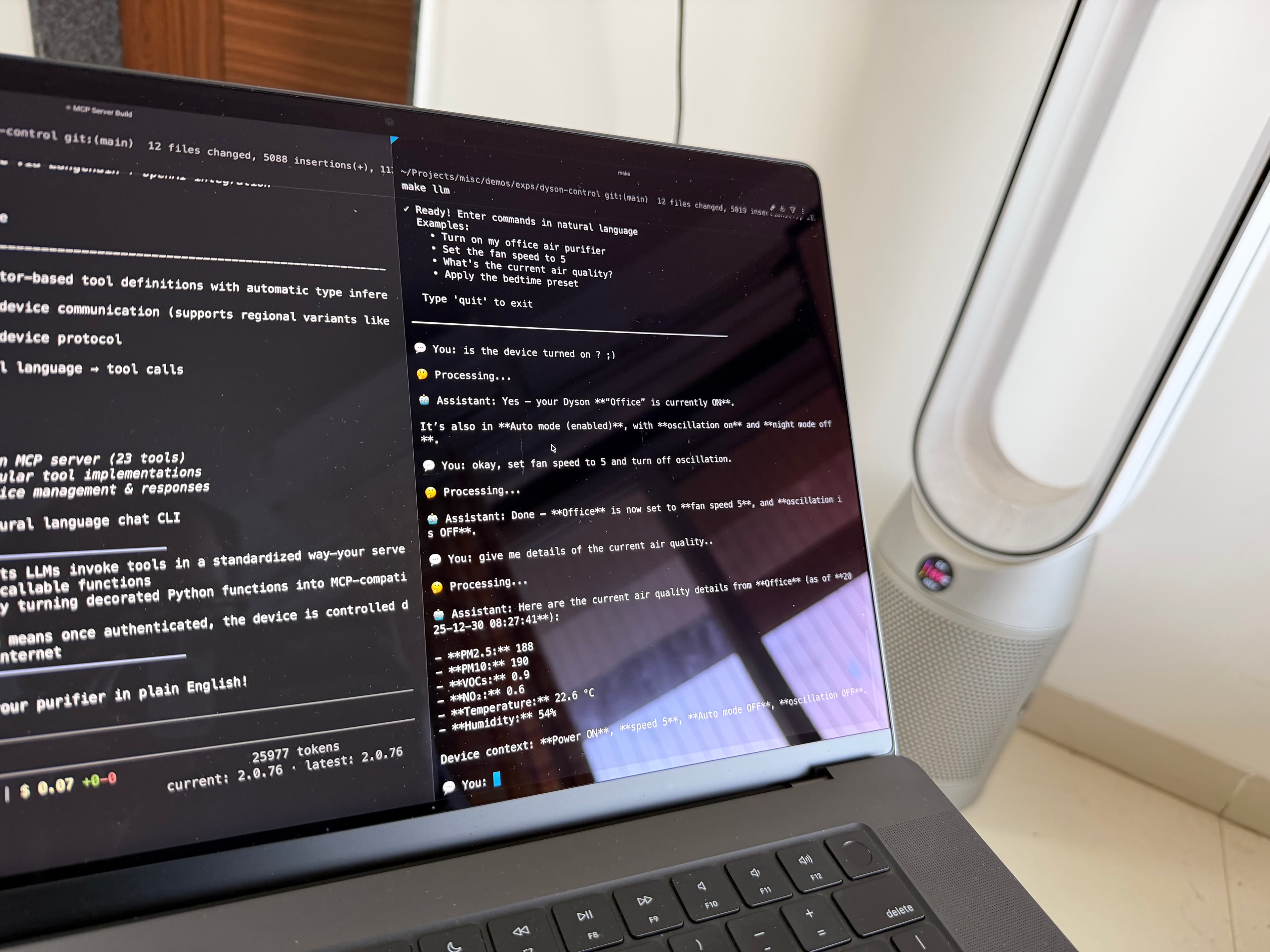
I don't have a smart oven. But I do have a Dyson air purifier sitting in my room, humming away, controlled by an app that requires cloud connectivity for a device that communicates over local MQTT.
I wonder if I could do the same thing.
Thirty minutes later:
"Hey Claude, turn off the purifier."
Done. No app. No menus. No waiting for Dyson's servers to wake up.
Check out the project on GitHub →
Getting here was a journey though. Three different approaches, a temperature bug that claimed my room was -243°C, and learning way more about MQTT edge cases than I planned to.
The Itch
The Dyson app requires internet for a device that communicates over local MQTT on port 1883. It doesn't need the cloud—Dyson just decided you should use it anyway.
No local API. No complex automations. No "turn on if PM2.5 exceeds threshold."
I wanted what @pingthebird had—natural language control through an LLM that could handle compound requests, maintain context, and integrate with my existing Claude workflow.
MCP was the obvious choice. But I had to prove local control worked first.
Phase Zero: Local Device Control
Started with network discovery:
sudo nmap -sn -PR 192.168.1.0/24
# Found: 192.168.1.4 (Dyson Limited)

sudo nmap -p- 192.168.1.4
# PORT 1883/tcp open mqtt
MQTT on 1883, no TLS. Authentication requires one-time cloud auth to get device credentials, then you're fully local.
The original libdyson library didn't support my device's product type (438K, Indian variant). Found libdyson-neon—an actively maintained fork with regional support. Sometimes the solution is just finding the right fork.
The Temperature Bug
First status check: -243°C.
Classic unit conversion issue:
# Library assumed deciKelvin:
temp = (device.temperature / 10) - 273.15  # → -243°C

# Device reports Kelvin:
temp = device.temperature - 273.15         # → 22°C
Fixed it upstream. Room temperature makes sense now.
Why MCP Over Alternatives
I considered three approaches:
Direct LLM parsing: Feed user input to an LLM, extract intent and parameters. ~70% reliability. Hallucinated non-existent settings. Too much prompt engineering to patch edge cases.
Regex patterns: Define patterns for every command. Works until someone says "make it a bit quieter" instead of "set speed to 3." Natural language is messy; regex isn't. Unmaintainable at 30+ patterns.
MCP with tool definitions: Let the LLM decide which tools to call through a standardized protocol. Clean separation—LLM handles ambiguity, tools handle precision.
MCP won. The architecture:
User: "Make it quieter and check air quality"
    ↓
LangChain ReAct Agent (GPT-5.2)
    ↓
MCP Protocol (stdio transport)
    ↓
FastMCP Server (23 tools)
    ↓
libdyson-neon (MQTT)
    ↓
Dyson Device (port 1883)
The agent reasons about intent, selects appropriate tools, executes them, and synthesizes results into natural language. Reliable and extensible.
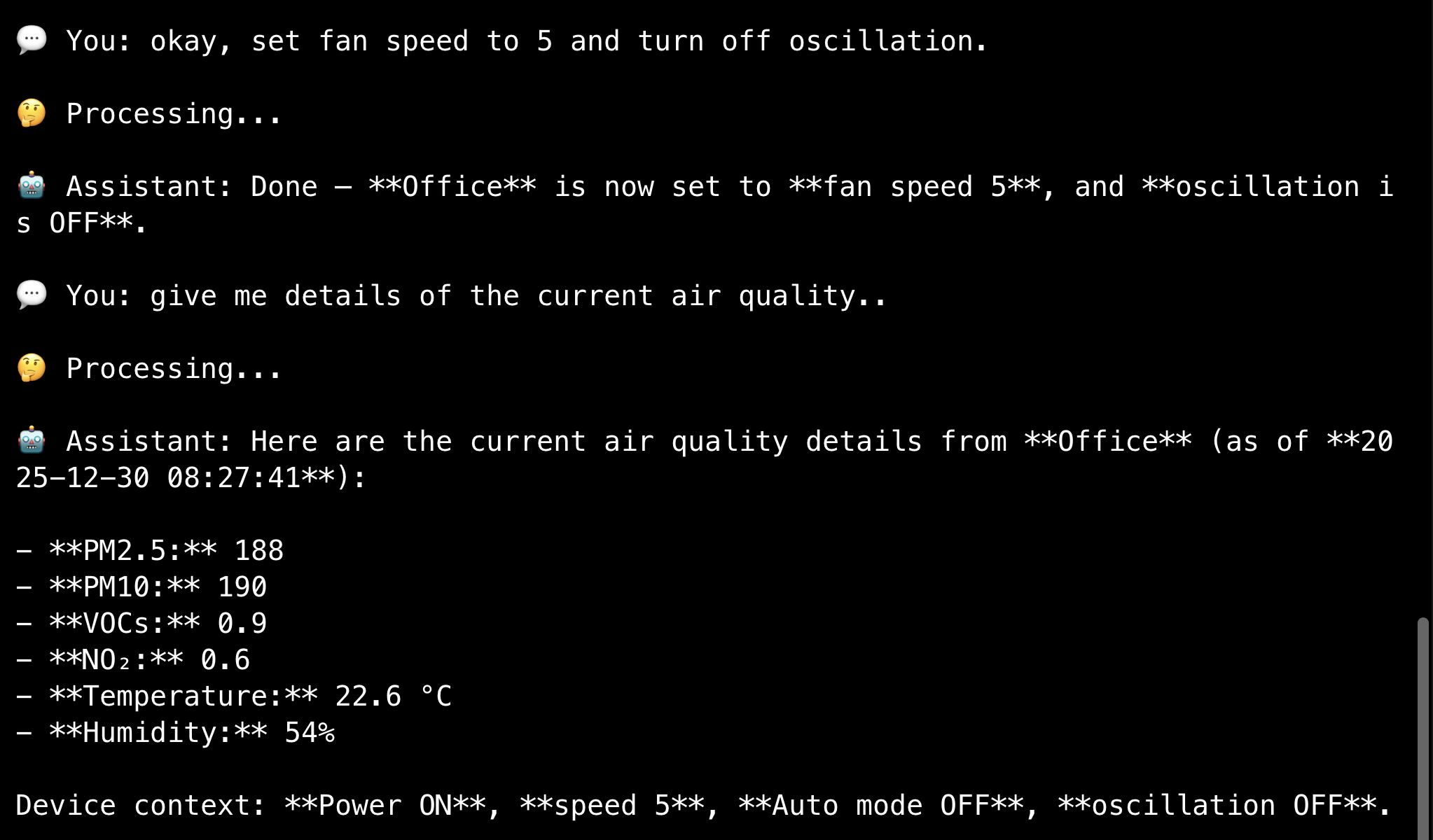
The 23 Tools
Organized into 7 categories:
Power: turn_on, turn_off
Fan: set_speed (1-10), increase_speed, decrease_speed
Modes: enable_auto_mode, disable_auto_mode, enable_night_mode, disable_night_mode, enable_oscillation, disable_oscillation
Monitoring: get_status, get_air_quality, check_health, list_devices
Presets: save_preset, apply_preset, list_presets, delete_preset
Conditional: trigger_on_condition (sensor-based triggers with safe expression parsing)
Scheduling: schedule_command, list_schedules, cancel_schedule
Each decorated with @mcp.tool(). FastMCP handles type inference, validation, and JSON serialization.
Implementation Details Worth Noting
Connection Pooling
First MQTT connection: ~2000ms. Sequential commands without caching meant 6+ seconds for a simple workflow.
_device_cache: Dict[str, Any] = {}

def get_or_connect_device(device_name: str):
    if device_name in _device_cache:
        device = _device_cache[device_name]
        if device.is_connected:
            return device  # ~250ms
    # New connection: ~2000ms
8× improvement for subsequent calls.
Safe Expression Evaluation
The conditional tool accepts expressions like "pm25 > 50 AND voc > 5". The temptation to use dynamic code execution is obvious—and dangerous.
I wrote a safe evaluator instead: regex tokenization, whitelisted metrics, explicit operator handling. No arbitrary code execution, immune to injection attacks.
def safe_evaluate_condition(condition: str, metrics: Dict) -> bool:
    # Parse: "pm25 > 50" → ("pm25", ">", 50)
    # Validate: metric_name in ALLOWED_METRICS
    # Evaluate: explicit comparison, no code execution
Preset Sequencing
Applying presets requires correct ordering:
- Power first (device must be on)
- Speed (affects airflow)
- Auto mode (can override manual speed)
- Night mode (UI and sound)
- Oscillation last (mechanical, needs propagation time)
MQTT is async—commands are sent, acknowledged, and state updates arrive separately. Delays between settings ensure reliable application.
Silencing FastMCP's Stdio Noise
MCP uses stdio for communication. FastMCP prints ASCII banners to stderr on startup, breaking the protocol when piped.
The fix: redirect stderr after path setup but before imports:
sys.path.insert(0, str(project_root))
sys.stderr = open(os.devnull, 'w')
from fastmcp import FastMCP
stdin/stdout remain intact for MCP messages. stderr (logs, banners) goes to /dev/null.
ReAct Agent vs Simple Tool Binding
Initial LangChain attempt used llm.bind_tools()—tools were proposed but not executed. No response synthesis.
The fix: use create_react_agent() from LangGraph:
agent = create_react_agent(
    model=llm,
    tools=tools,
    prompt=prompt
)
Full think-act-observe-respond loop. Tool results get synthesized into natural language. Conversation memory with thread_id enables multi-turn context.
What Makes This Different
Local-first: After one-time cloud auth, everything runs on your LAN. Commands don't leave your network.
MCP as interface: Works with Claude Desktop, Cline, custom chat UIs—any MCP-compatible client. No custom integration per platform.
Comprehensive: 23 tools covering presets, conditionals, scheduling, and monitoring. Not a proof of concept.
Documented architecture: JOURNEY.md covers every decision, bug, and failed approach. Useful reference for building IoT MCP servers.
Technical Stack
- FastMCP –
@mcp.tool()decorators, automatic type inference - libdyson-neon – Dyson MQTT client (438K/438M/527K variants)
- LangChain + LangGraph – ReAct agent with conversation memory
- OpenAI GPT-5.2 – reasoning layer (swappable)
~1500 lines of Python across 7 tool modules.
Network Requirements
- Same LAN required – computer and Dyson on same network
- 2.4GHz WiFi only – Dyson devices don't support 5GHz
- Port 1883 open – MQTT needs this
Key Takeaways
MCP fits stateful APIs well. Unlike REST, MCP servers can maintain persistent connections and cache state. Perfect for MQTT-based IoT.
ReAct agents handle ambiguity gracefully. The reasoning loop checks state before acting, recovers from errors, and chains operations naturally.
Security requires explicit design. Safe expression evaluation took extra work but prevented a real vulnerability.
Local control is faster. No cloud latency. Everything instant.
The Pattern
This isn't really about air purifiers. It's about:
LLM + MCP + Local Protocol = Natural Language IoT
Replace Dyson MQTT with Philips Hue (local API), HomeKit (HAP), Zigbee (MQTT bridge), custom hardware. Same pattern works.
Define tools. Wrap the protocol. Let the LLM handle natural language.
Try It
Clone it, extend it, break it. Add support for other models. Build automations. Whatever interests you.
"Hey Claude, turn off the purifier."
Done.
That's the dream.