6 Versions, 1 Shell Injection, and a Green Checkmark on ClawHub
I thought publishing a skill would take twenty minutes. It took six versions, and one of them caught a real vulnerability I didn't know I had.
What I Built
ClawHub is OpenClaw's skill marketplace. Skills are packages that extend what your AI agent can do: web search, API integrations, image generation, that sort of thing. Think npm, but for AI agents, and every upload gets a security scan before anyone can install it.
I built a Jina AI skill for it. URL reading, web search, deep research, all through Jina's API. Four shell/Python scripts, one SKILL.md, zip it up, upload. Should be straightforward.
v1.0.0 - Suspicious
Every skill on ClawHub gets two scans: VirusTotal for code analysis, and OpenClaw's own trust evaluator. My first result was Suspicious at medium confidence, which is not the vibe you want.
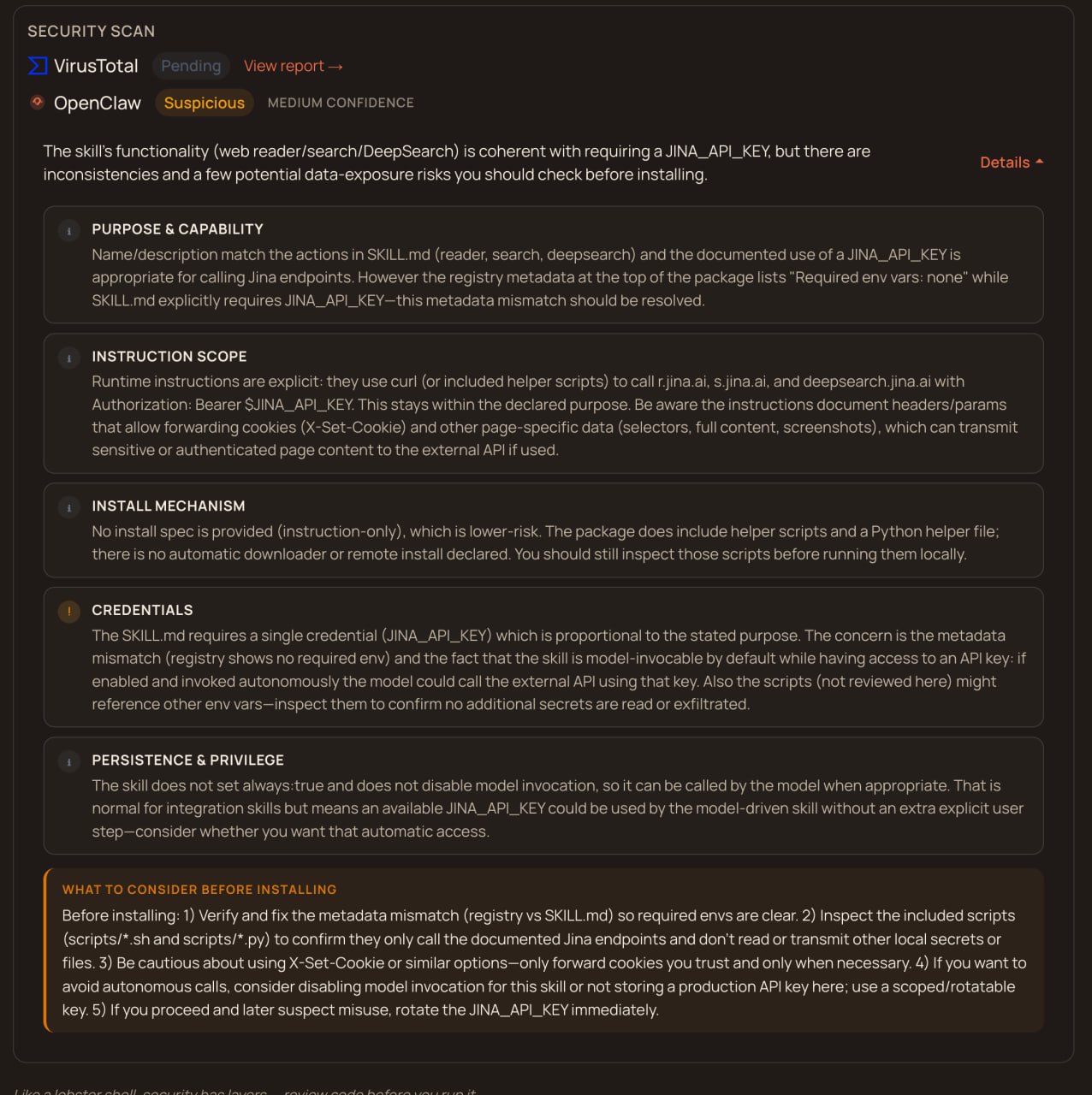
The code itself was fine. The problem was the registry showing "Required env vars: none" even though my SKILL.md clearly declared JINA_API_KEY as required. Something in the metadata parsing was broken, and I assumed fixing that one thing would get me to green. I was wrong about the timeline.
Checking the Competition
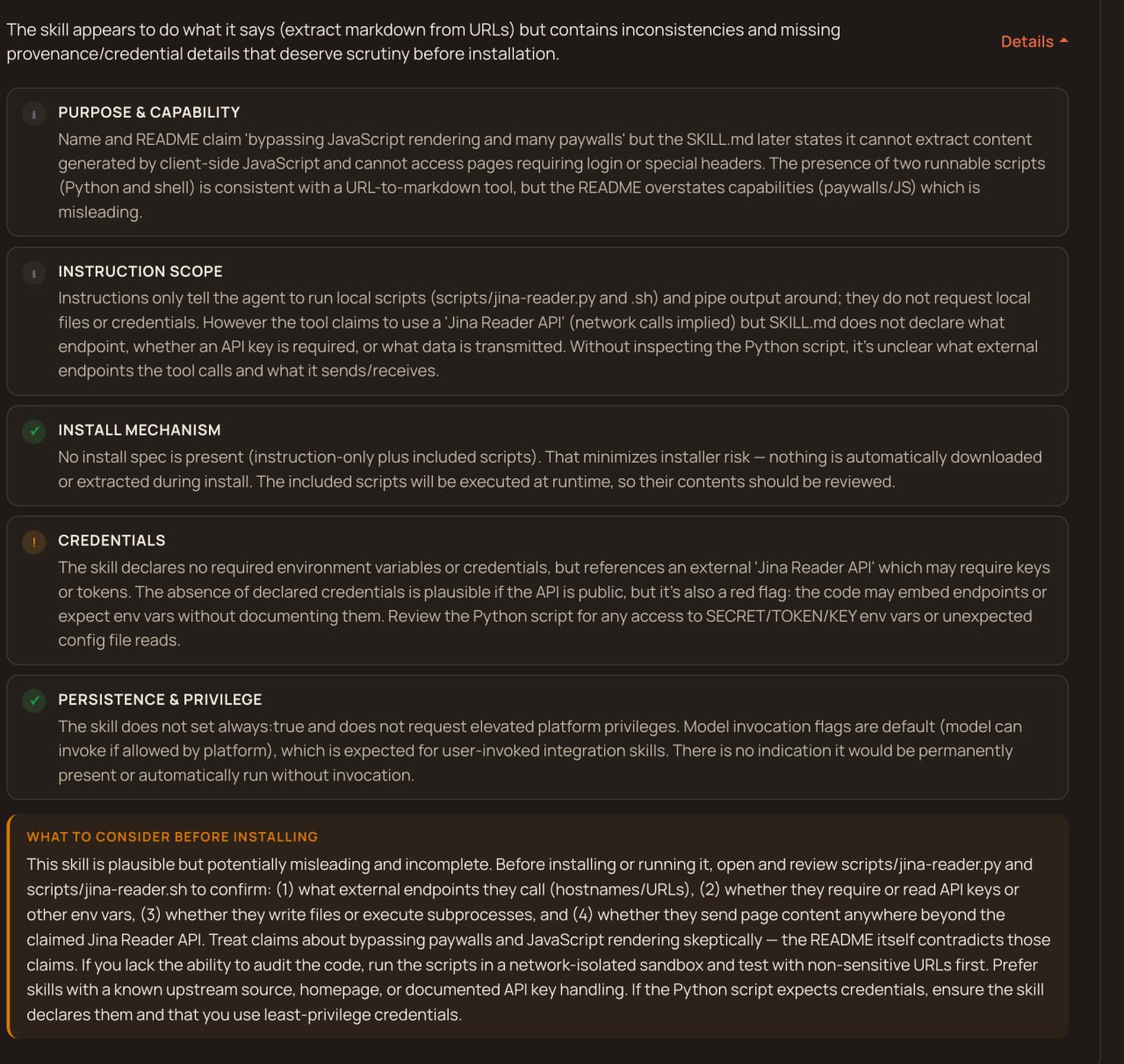
Before going down a rabbit hole, I checked the only other Jina skill on ClawHub. Their scan was actually worse than mine: "Misleading." "No declared credentials." Flagged harder across the board. Not exactly reassuring, but at least the problem wasn't unique to my package.
v1.0.2 through v1.0.4 - Throwing Docs at It
I started adding everything the scanner might want. An external endpoints table listing every URL the skill contacts. A security and privacy section explaining what data leaves the machine. A trust statement. Inline security manifest headers in every script file.
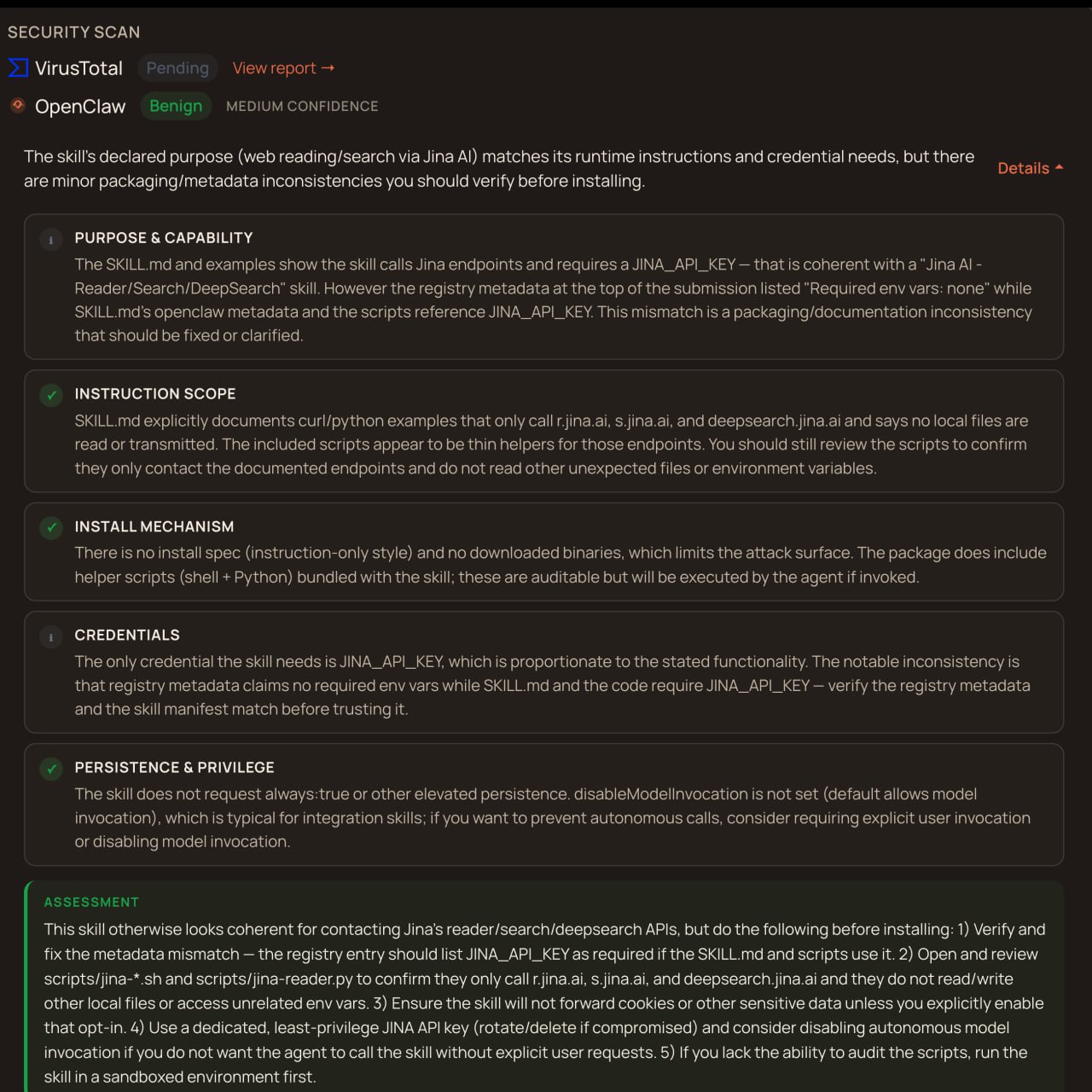
The scan improved to Benign at medium confidence, which was progress. But the registry still showed no env vars. Three versions in and the same metadata bug was there. I was writing documentation the parser literally could not see.
v1.0.5 - The Dumb Bug
This is where I had my AI agent actually trace ClawHub's source code to figure out how it parses skill metadata. The answer was buried one function deep: the parser looks for metadata.clawdbot, not metadata.openclaw. Every version I'd published had the credentials declared under the wrong key. The skill worked, the scanner could read the scripts, but the structured metadata that tells the registry "this skill needs JINA_API_KEY" was completely invisible.
Changed one key name. Registry immediately showed the environment variable. Four versions and hours of documentation work, all because of a single undocumented field name. The kind of bug that makes you close your laptop for a minute.
v1.0.6 - The One That Actually Mattered
VirusTotal's code analysis flagged a real shell injection vulnerability. My bash scripts were interpolating user input inside double quotes in curl commands:
curl -s "https://s.jina.ai/${USER_QUERY}"
If someone passed $(id) as a search query, it would execute as a shell command on the host machine.
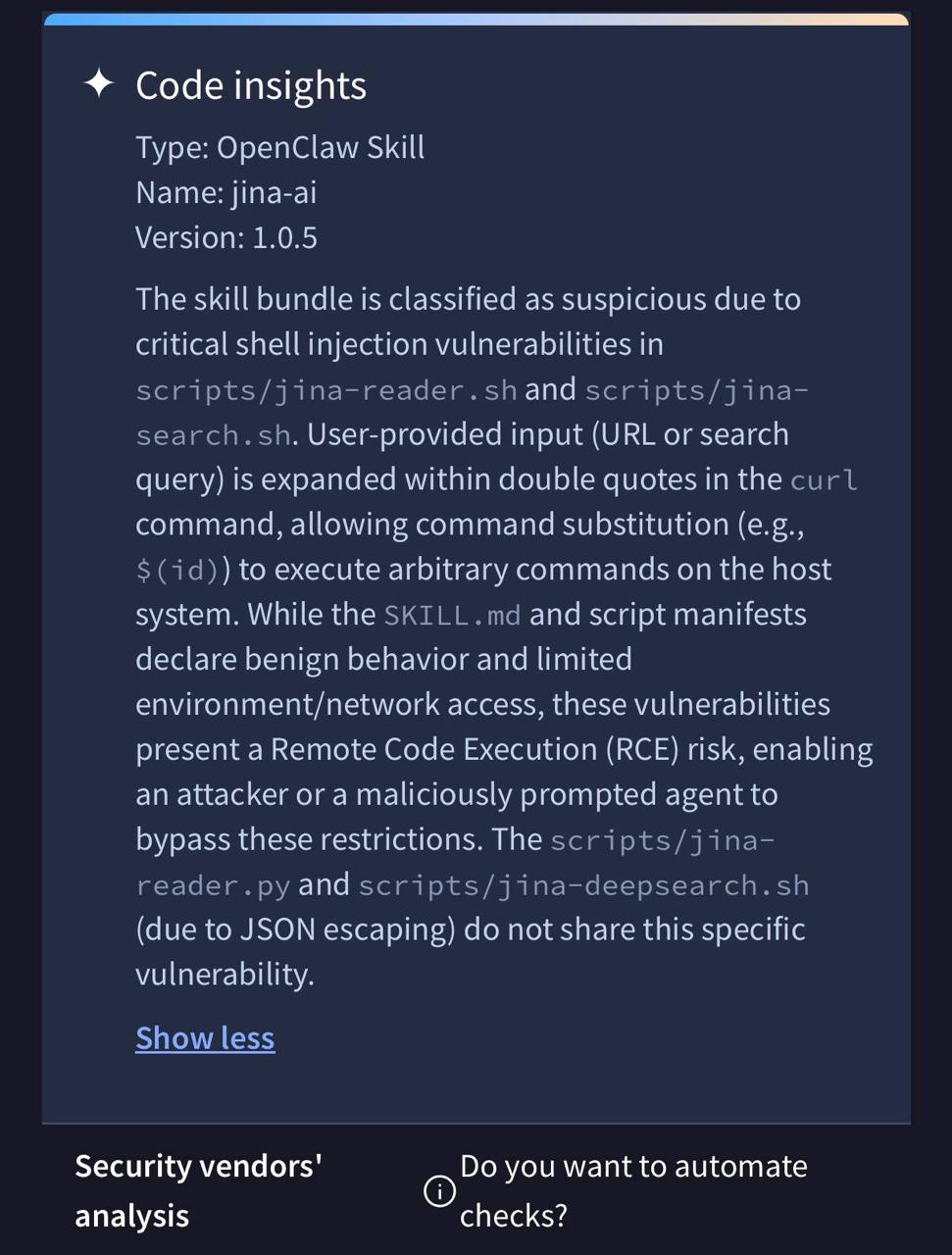 Real RCE, with your agent's permissions. I didn't catch it in my own code review. The scanner did.
The fix was routing all user input through python3 urllib.parse.quote() before it gets anywhere near the shell. No more raw interpolation, no injection surface. The Python script and the DeepSearch script were already safe because they used JSON payloads, but the two bash scripts that built URLs with string concatenation were both vulnerable.
Clean
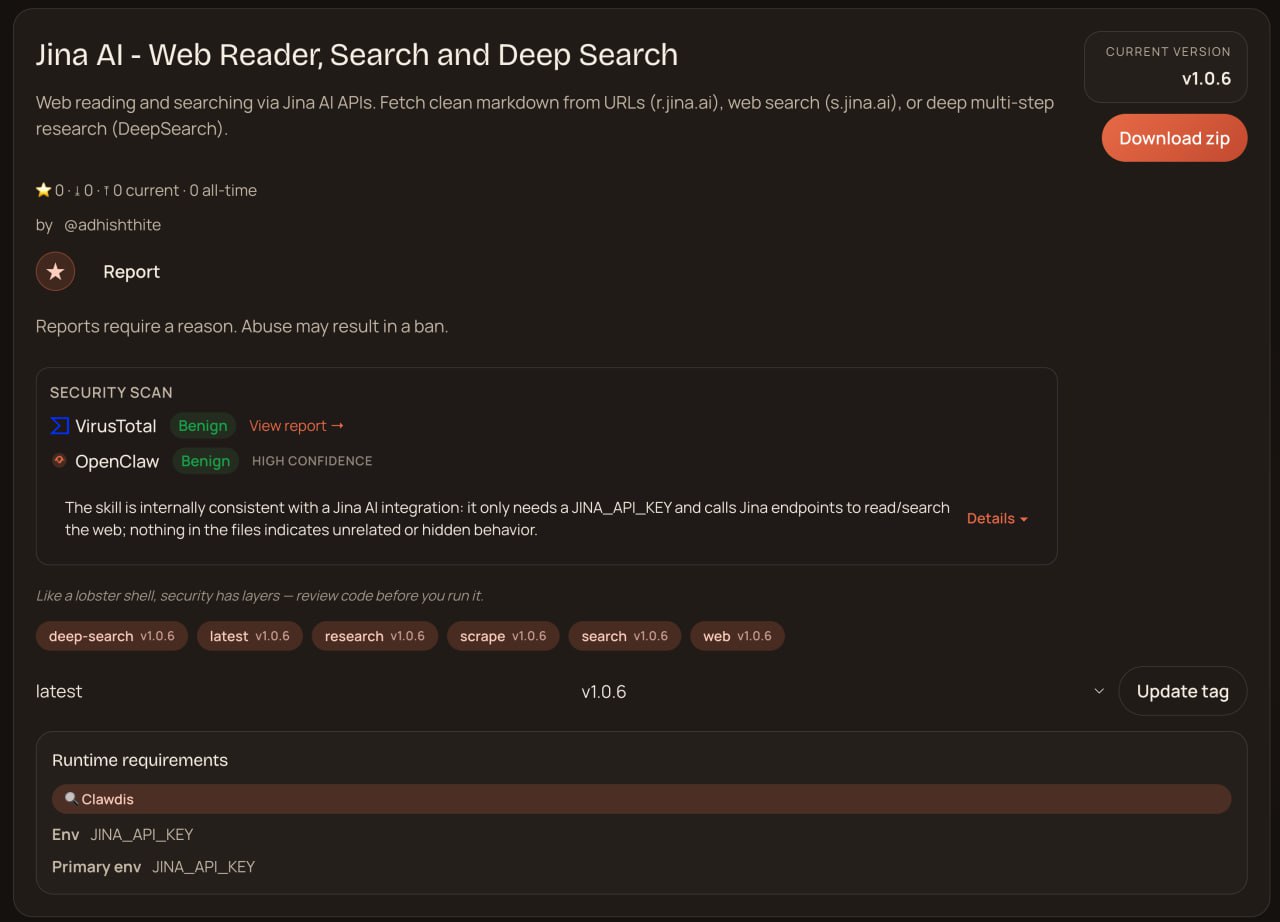
v1.0.6 finally got there. Both scanners returned Benign at HIGH CONFIDENCE, all sections green.
What I Took Away
After this whole experience I wrote a 13-point publishing checklist so the next skill ships in one pass. I'll keep updating it as I publish more skills. The highlights:
- Read the parser source, not the docs. The
clawdbotvsopenclawmetadata key wasn't documented anywhere. I had to trace the code to find it. - Never interpolate user input in bash. URL-encode everything through a real parser. Python's
urllib.parse.quote()exists for a reason. Bash string expansion is not your friend. - VirusTotal catches real bugs. This wasn't a false positive. It found a vulnerability I missed in code review, and I'm genuinely glad it did.
- Transparency documentation works. The scanner reads your external endpoints table, your security disclosures, your trust statements, and adjusts confidence scoring based on them.
The Bigger Picture
The AI agent supply chain is roughly where npm was in 2014. Early, small, and dealing with packages that run with real permissions on real machines. But there's one big difference: the security tooling showed up early this time. VirusTotal scanning agent skills for shell injection on day one. Trust evaluators checking whether declared credentials actually match code behavior. Per-version confidence scoring.
npm didn't get serious about supply chain security until years of left-pad incidents and dependency hijacking forced the issue. ClawHub ships with all of this baked in from the start. Six versions to go from Suspicious to Benign sounds like a lot, but every single flag pointed at something real. Every fix made the skill genuinely safer. That's what a working security process looks like.