I Asked for a Tip Calculator. Claude Asked Me 27 Questions First.
I just wanted a basic tip calculator. Enter bill amount, pick tip percentage, done. Maybe add bill splitting if I felt ambitious. Fifteen minutes of work, tops.
30 minutes later (total time from empty directory to deployed on Vercel), I had a production-ready app.
I'm no coding genius. What got me there was letting Claude interrogate me for 20 minutes about penny reconciliation, paste chaos, and what happens when someone tries to calculate a tip on a $470,000 wedding bill.
This is what you get when you stop rushing to code and start answering uncomfortable questions about your supposedly simple idea.
The Setup: A Blank Terminal and Two Keystrokes
I created a directory called tip-calculator, opened my terminal, typed claude code, and then typed two characters: /o
Autocomplete suggested /onboard-project. I hit enter.
What I didn't realize was that I'd just kicked off a 20-minute interview that would make me think about things I'd never considered.
Some quick context. Claude Code has a feature called slash commands: reusable workflows stored as Markdown files. You can write your own and drop them in ~/.claude/commands/ for personal use, or .claude/commands/ for project-specific ones.
Skills in Claude Code activate on their own through semantic matching, but slash commands are explicit. You type /onboard-project and Claude runs the project scaffolding interview; you type /break-it and Claude becomes a QA specialist hunting for edge cases.
I'd built these two commands over months of frustration with my scattered dev process, and now I was pointing them at something I assumed was trivial.
Act I: The Friendly Interrogation
View the full /onboard-project command on GitHub GistClaude's message popped up:
"Welcome! I'm excited to help you build something great. Think of me as your project architect. I'll handle the technical details while making sure we build exactly what you need. Let's start by getting to know each other a bit."
It read as friendly and disarming, and I wasn't suspicious yet.
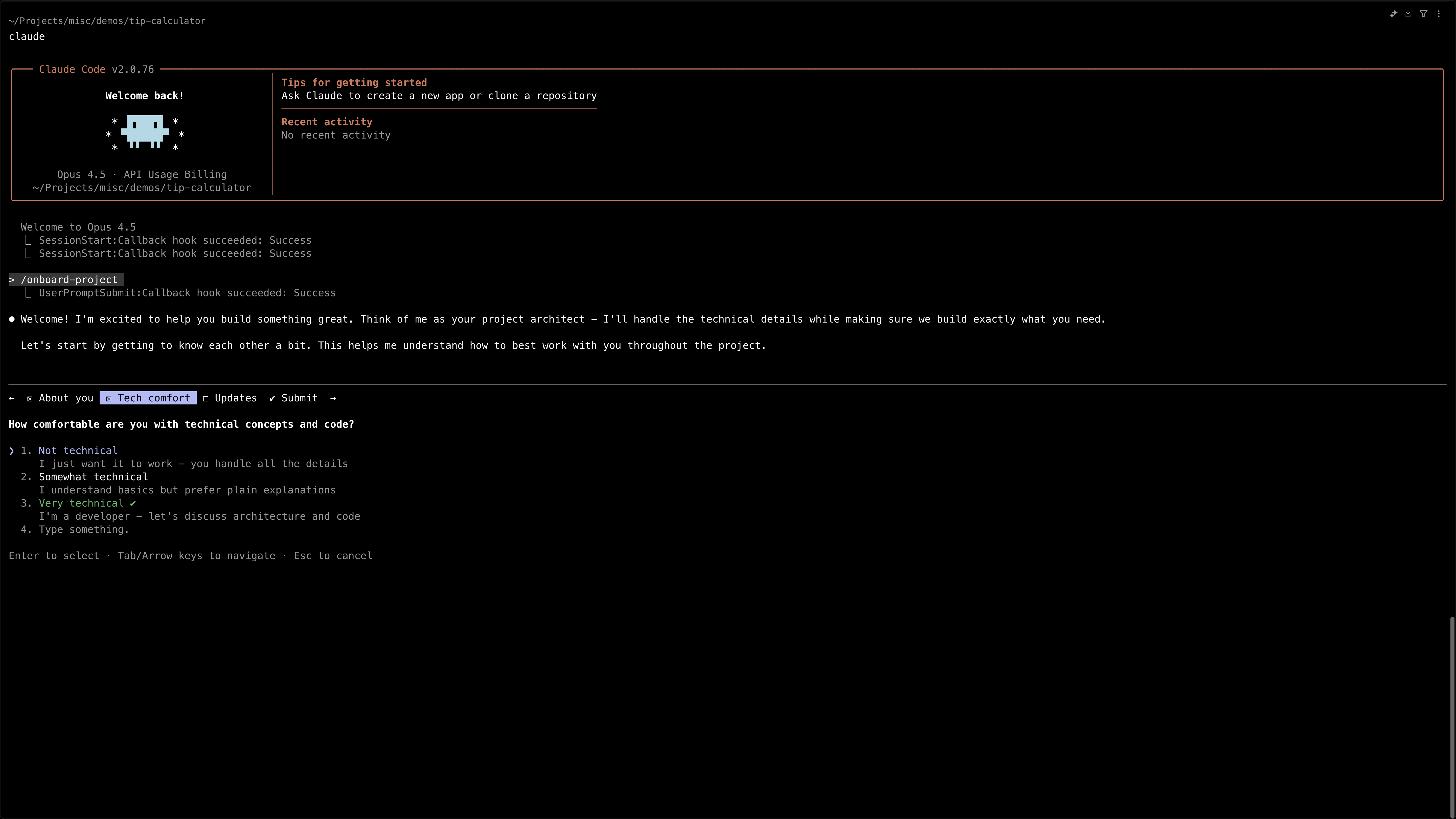
The Onboarding Questions
Claude didn't just ask what I wanted to build. It systematically profiled me, my preferences, and my project:
| Question | My Answer |
|---|---|
| What do you do? | Developer / Engineer |
| Technical comfort level? | Very technical—discuss architecture and code |
| Progress updates preference? | Technical details—code reviews and implementation |
| What are you building? | Simple tip calculator: minimal, fast, sleek, reliable |
| Preferred tech stack? | React (Vite) |
| Visual/interaction feel? | Modern clean (subtle shadows, smooth animations) |
| Special features? | ☑ Split bill ☑ Custom tips ☑ Round totals ☐ Save history |
| Code quality tooling? | Strict—TypeScript, ESLint, Prettier, pre-commit hooks, testing |
The Naming Ceremony
Claude didn't just ask for a project name. It brainstormed:
| Name | Vibe |
|---|---|
| Tippr | Modern app-style, short, memorable |
| Divvy | Action-oriented, about splitting |
| Settle | "Settle the bill", elegant |
| QuickTip | Speed-focused |
| Gratity | Slightly formal |
I picked Tippr. It felt right.
Then Claude wrote everything to a spec file in .plans/tippr-spec.md, with every decision, preference, and architectural choice documented.
The spec included CLAUDE.md (my communication style), TECHNICAL.md (architecture decisions), and the full project structure.

At this point I figured we were done with the thorough part and could finally start building. We weren't.
Act II: "Let's Break It"
View the full /break-it command on GitHub GistI typed /break-it @.plans/tippr-spec.md

Claude's response:
"Let's systematically explore how users might break Tippr. I'll ask about specific scenarios one at a time."
Then the bombardment began.
The Edge Case Questions
Claude asked about one scenario at a time. Each one made me realize something I'd never considered:
| Scenario | My Initial Reaction | My Answer |
|---|---|---|
| $0.01 bill with 20% tip = $0.002 | "I've never thought about this" | Round to nearest cent |
| $470,000 typo for $47,000 wedding bill | "Who calculates tips on weddings?" | Soft warning over $10k + thousand separators |
| User enters -$20 (refund scenario) | "Didn't plan for negatives" | Block negative values |
| $99.99 split 3 ways = $38.3295 each | "Wait, there's a rounding problem?" | Penny reconciliation (one person pays extra ¢) |
| Unequal splits (salad vs. wine) | "THAT'S NOT MY PROBLEM" | Out of scope—Tippr ≠ Splitwise |
| Credit card number pasted: 4532... | laughs → "Oh wait, people do this" | Detect invalid money, show error |
| Rapid tap 20% button 7 times | "I forgot about debouncing" | Debounce—ignore for 0.5s after first tap |
| $24.50 vs 24,50 (decimal/comma) | "For a tip calculator?" | Force decimal point (US format) |
| Split by 0 people | "Obviously an error" → "I wouldn't have validated this" | Minimum 1 person |
| $0 bill amount | "Empty state I'd miss" | Hide results until > 0 |
Every single question caught something that would've been a production bug.
Why This Didn't Take Hours
What made it bearable was that I wasn't typing essays. Every question came with clickable options.
When Claude asked about the credit card paste scenario, I just clicked "Detect invalid money, show error." rather than writing out a paragraph.
The interviews took around 20 minutes, and almost all of that was me thinking about each scenario rather than composing a response. The clicking was instant; the thinking was where the time went, which is exactly where you want it.
The Document That Changed Everything
When the interrogation finally ended, Claude generated an edge cases document.
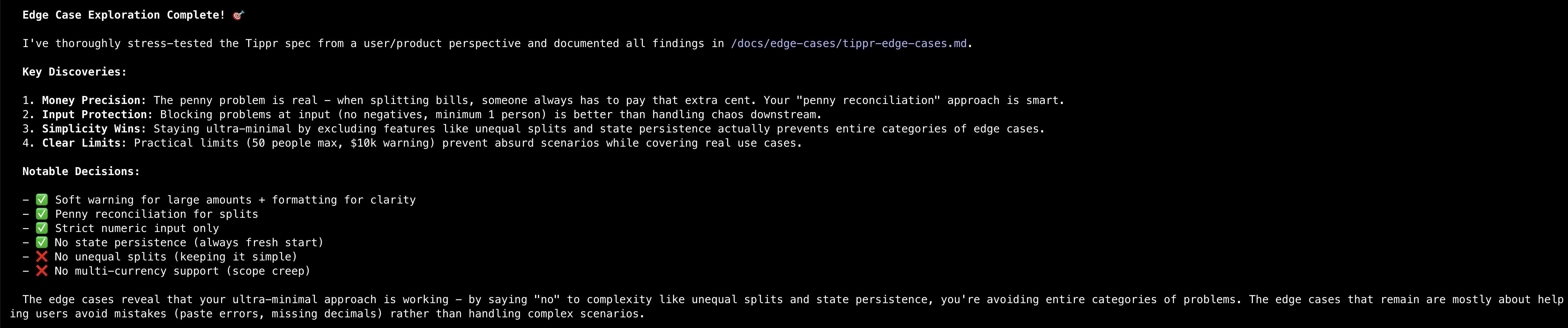
It captured every scenario and every decision, organized by category.
Money precision issues:
- Situation: Bill $0.01, tip 20% = $0.002
- Handling: Round to nearest cent
- User message: "Tip rounded to nearest penny"
Input validation:
- Situation: User pastes credit card number
- Handling: Reject non-currency input
- User message: "Please enter a valid dollar amount"
Split bill logic:
- Situation: $99.99 split 3 ways = $38.3295 each
- Handling: Two people pay $38.33, one pays $38.34
- User message: "Amounts adjusted by 1¢ to match total"
The document ran to 40+ edge cases for what was supposed to be a tip calculator, and every one of them was legitimate.
Act III: One Command to Build It All
I had two files:
.plans/tippr-spec.md- My vision, preferences, architecturedocs/edge-cases/tippr-edge-cases.md- 40+ scenarios that would break the app
Twenty minutes in, I still hadn't written a single line of code, and I hadn't even opened VS Code.
In a normal project this is where the real work would begin: set up React, install dependencies, create components, wire up state, handle edge cases, debug, repeat.
Instead, I typed one sentence:
"Using @.plans/tippr-spec.md as the spec and @docs/edge-cases/tippr-edge-cases.md as mandatory constraints, build the complete Tippr app from scratch. Use latest stable versions, handle all edge cases, output a runnable project with code, config, and README."
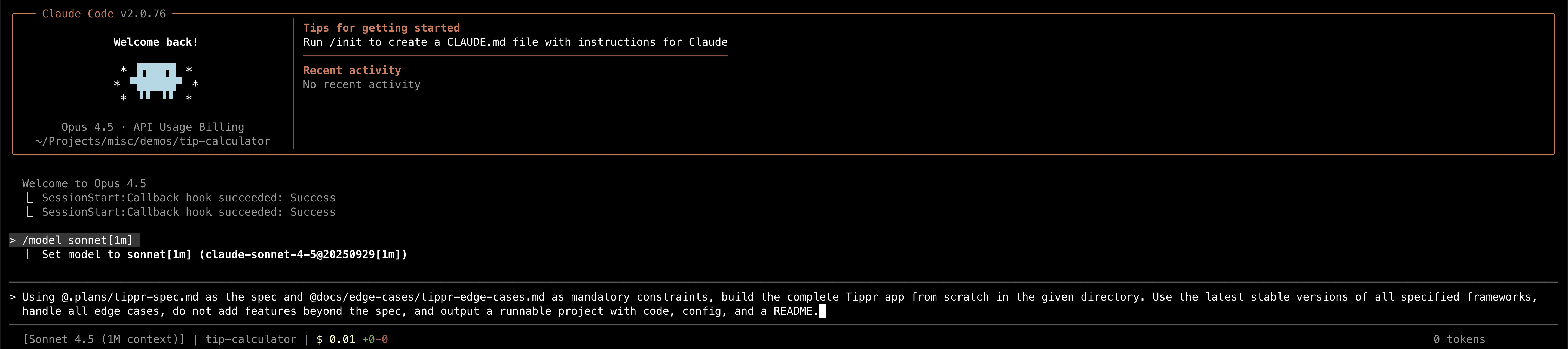
Then I hit enter.
Claude built the entire app. This wasn't a prototype or a proof of concept; it was a production-ready application:
- React + Vite setup with TypeScript
- Complete component architecture
- All 40+ edge cases handled
- Input validation with proper error states
- Penny reconciliation logic for splits
- Debounced interactions
- Accessibility (ARIA labels, keyboard navigation)
- Responsive design
- ESLint + Prettier + pre-commit hooks configured
- README with setup instructions
- No runtime errors in my testing
I typed npm install, then npm run dev.
The app loaded. I started testing:
- Entered $0.01 → Tip rounded correctly ✓
- Pasted gibberish → Error message appeared ✓
- Split $99.99 by 3 → Penny reconciliation worked ✓
- Rapid-clicked 20% → Debounced properly ✓
- Entered -$50 → Rejected as expected ✓
Every edge case. Every scenario from the interview. Handled.
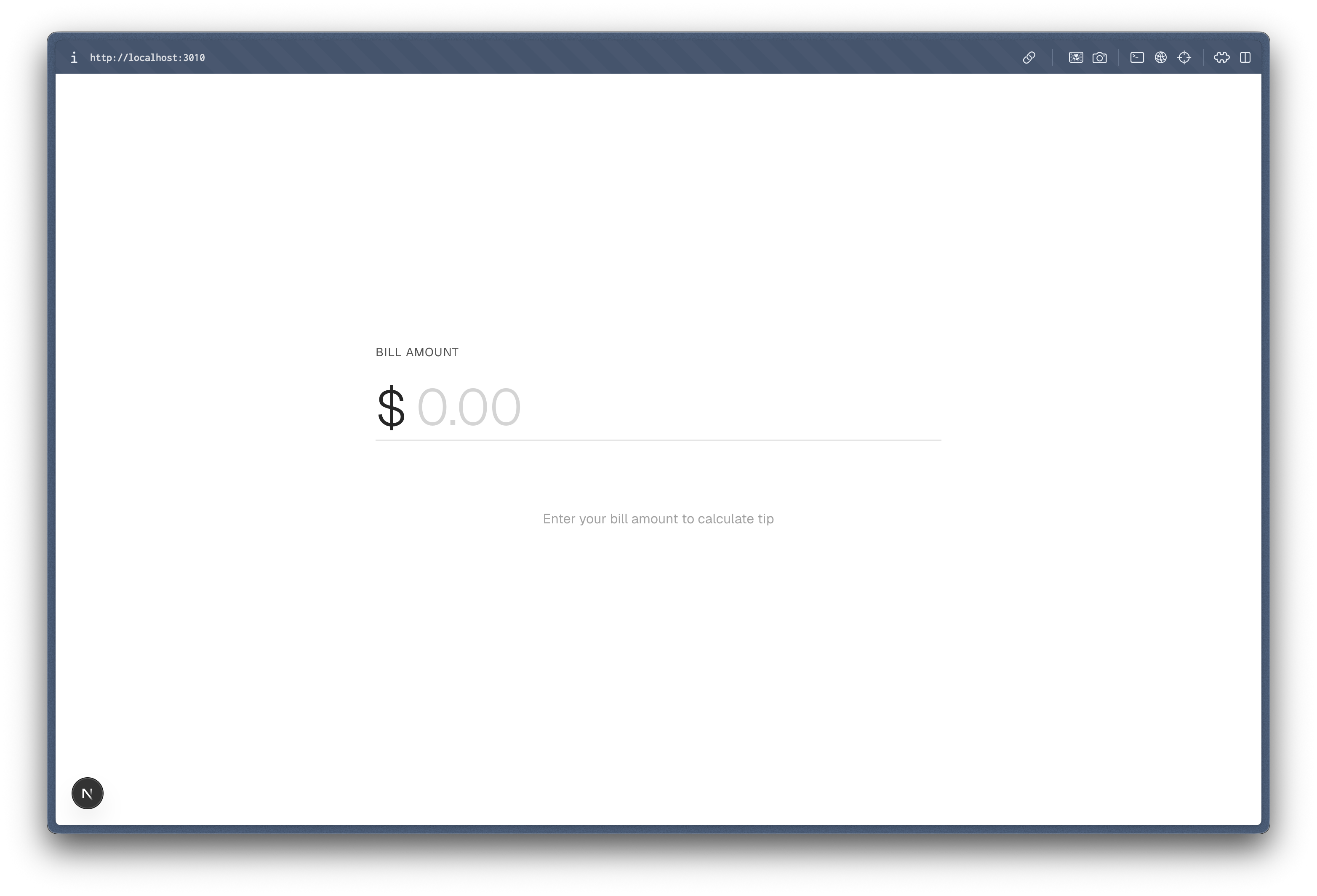
See it live: tippr-cc.vercel.app
The finished app looks like this:
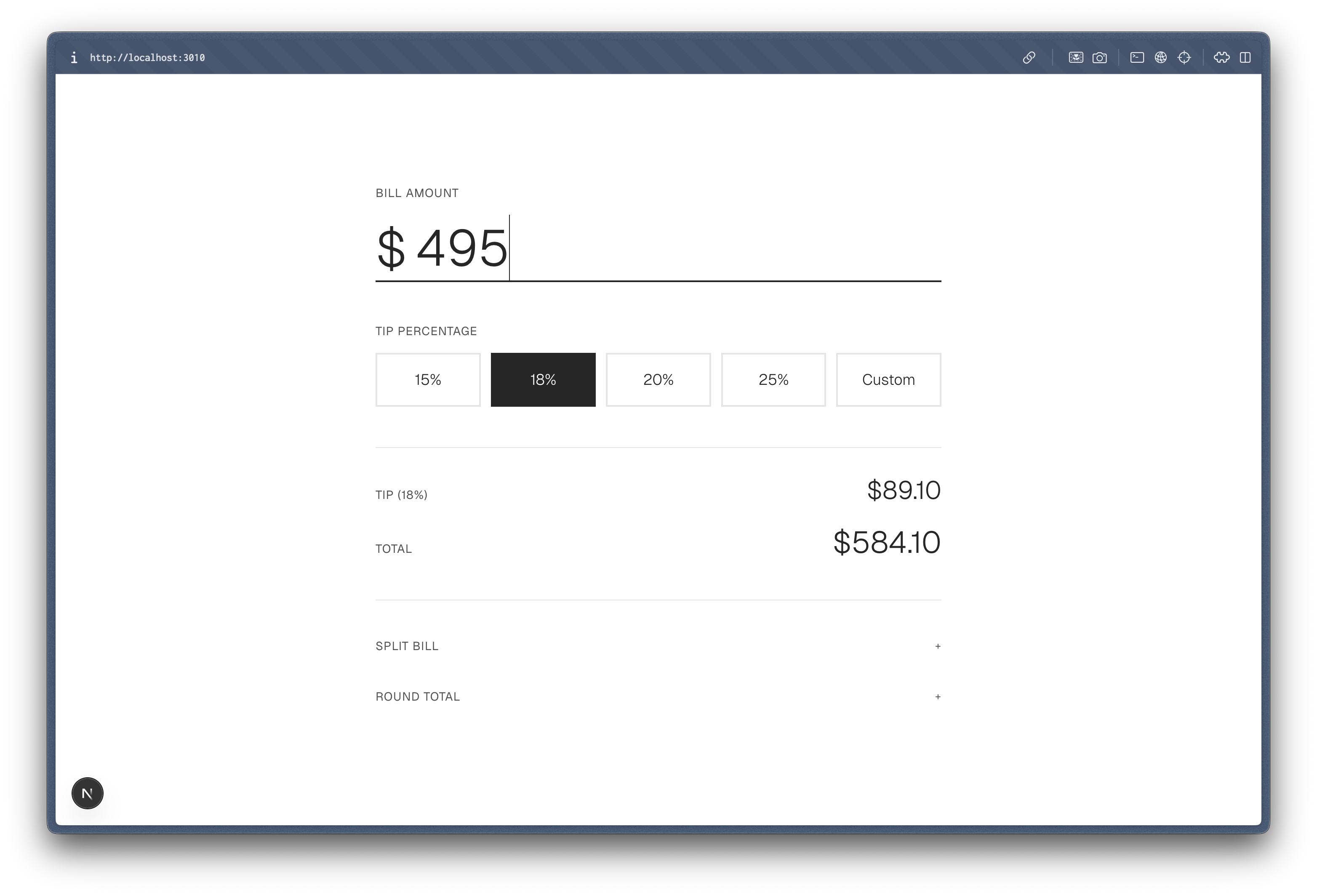
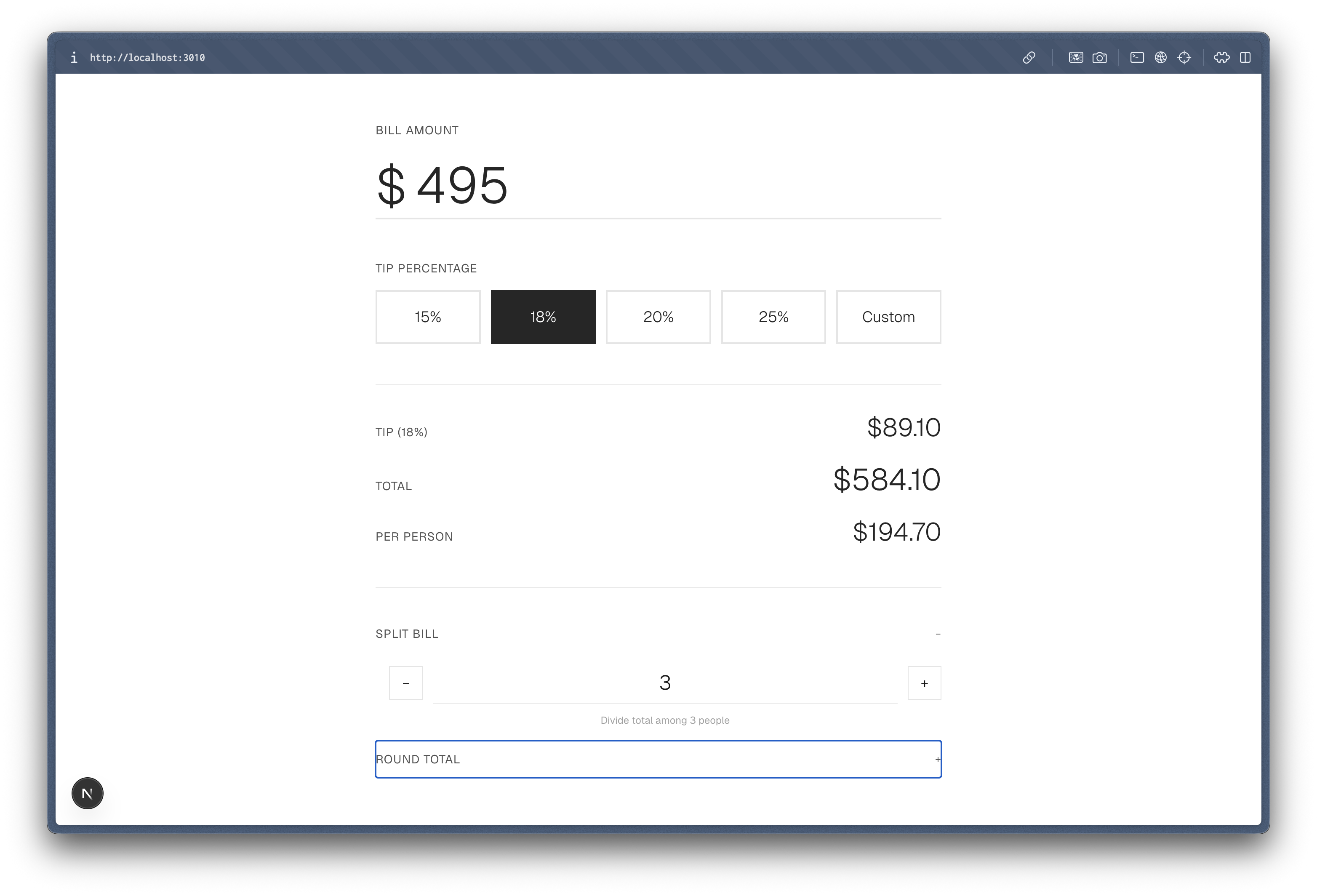
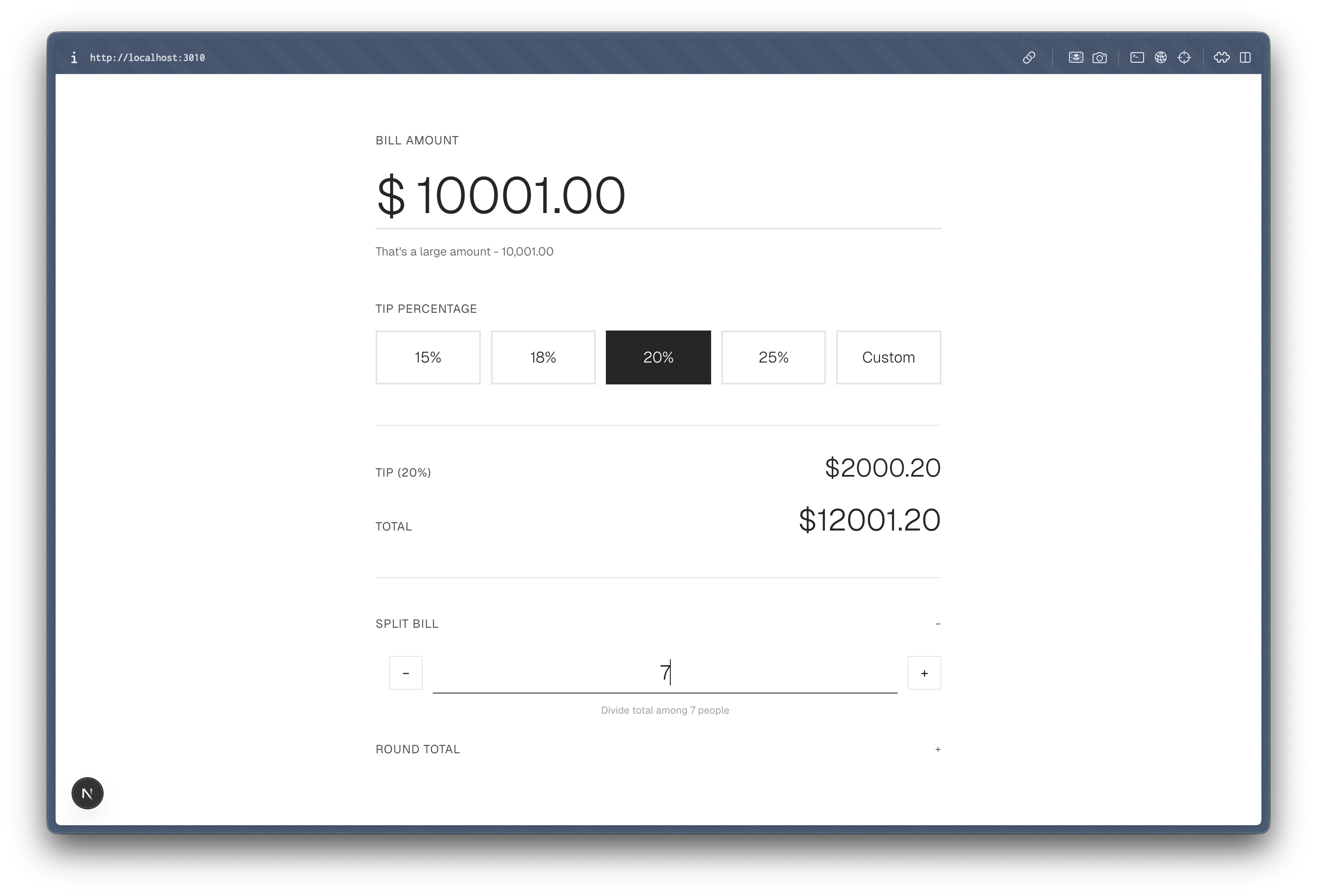
The Part That Broke My Brain
I never opened my IDE during any of this.
The entire process, from idea to working app, happened in my terminal through conversation with Claude Code.
There was no context-switching between editor and terminal, no "let me just open this file real quick," no fighting with import paths or missing dependencies. I answered questions, and then I watched it build.
Full disclosure: the first build had some bugs. I used Sonnet to generate it and there were a few minor issues, so I asked Opus to fix them, and now it's production-ready. What matters is that every one of those bugs was an implementation detail rather than a missed edge case. The penny reconciliation worked. The large amount warning worked. The input validation worked. The interview had already taken care of the bugs that actually hurt.
What I Actually Learned
Every product I've shipped has taught me this: the edge cases you don't think about are the ones that bite you in production.
I've been that developer firefighting at 2 AM because someone entered their name in Arabic. Or submitted a form twice because they got impatient. Or had their session expire mid-checkout.
The traditional flow: idea → code → bugs → fixes → more bugs → ship → production bugs → burnout.
These slash commands gave me something different: idea → systematic edge case analysis → code with awareness → ship with confidence.
Claude Code doesn't write perfect code. What it does is force you to think before you write any code at all, and that's the part that pays off.
The Uncomfortable Truth
Most developers, me included, hate thinking about edge cases upfront. It feels like premature optimization, like overthinking a problem that should be trivial. But a tip calculator stops being trivial the moment real users start touching it.
The 10-minute interrogation from /break-it felt excessive right up until I saw the app work on the first try.
There was no debugging session for negative numbers breaking everything, no panic-fix when someone pasted a credit card number in the bill field, no "oh crap, I forgot to debounce" moment three months later. Those problems were already solved, because I'd been forced to think through them in 10 minutes instead of stumbling onto them over the following 3 months.
The Knowledge Transfer Principle
Building these commands taught me something about AI-assisted development that goes beyond generating code: the real value is in transferring knowledge.
Claude doesn't know my project's context until I tell it. Once I've taught it, though, through slash commands, through CLAUDE.md, through the interview process, it applies that knowledge consistently.
Slash commands are reusable teaching:
- I taught Claude once how I like projects scaffolded → Every new project starts right
- I taught Claude once how to think about edge cases → I get systematic QA on demand
- I taught Claude my communication style → It adapts appropriately
I don't think of this as "AI writes code for me." It's closer to AI applying my own expertise back to me when I'm too tired to remember all of it myself.
Want These Commands?
Both commands are available as GitHub Gists:
/onboard-project — The project scaffolding interview /break-it — The edge case explorer
To install them:
# Create personal commands directory
mkdir -p ~/.claude/commands

# Download the commands
curl -o ~/.claude/commands/onboard-project.md \
  https://gist.githubusercontent.com/adhishthite/3209f14852fa816e9bc4f1b1ef03d07e/raw/onboard-project.md

curl -o ~/.claude/commands/break-it.md \
  https://gist.githubusercontent.com/adhishthite/d7ec154de478210f147d774aa9776750/raw/break-it.md

# Commands are available immediately in Claude Code
# Command names match the filename without .md extension
# Just type /onboard-project or /break-it to use them
How They Work Under the Hood
The commands use allowed-tools in Claude Code to scope their capabilities:
/onboard-project: Can write files (Bash,Write,Edit) because it scaffolds projects/break-it: Documentation-focused (Read,Write,Edit,AskUserQuestion) - writes only todocs/edge-cases/for documentation, won't touch your app code
When you invoke a slash command, its full instructions load into Claude's context. It's like giving Claude a specialized role with specific workflows to follow.
The Invitation
These commands are opinionated. They fit how I think about products, and yours could end up looking completely different, which is exactly how it should be.
If you've been sleeping on Claude Code slash commands, start small:
- A command that enforces your commit message format
- One that explains code in your preferred teaching style
- A workflow for your specific code review process
Don't copy mine. Codify your own expertise so you can apply it consistently, even when you're tired, rushing, or working on your 10th project of the month.
Epilogue: 30 Minutes to Production
I set out to build a quick tip calculator, fifteen minutes of work in my head.
Instead, I answered 27 questions about penny reconciliation, paste chaos, and wedding bills. Then I typed one sentence and watched Claude build it, push to GitHub, and deploy to Vercel.
→ Try it yourself: tippr-cc.vercel.app
Total time: Under 30 minutes
- ~10 minutes: Project onboarding interview
- ~10 minutes: Edge case exploration
- ~5 minutes: Code generation and testing
- ~5 minutes: Deploy to Vercel
Every edge case that would've become a bug was caught in the interview.
Go ahead. Try pasting a credit card number into Tippr's bill field. Enter $0.01. Split by zero. The app handles it all gracefully because I was forced to think about these scenarios before writing code.
Next time you're about to start coding, ask yourself: "Have I thought about what happens when someone pastes their credit card number into the input field?"
If the answer is no, maybe you need to be interrogated first.
View my GitHub Gists for more Claude Code commands